
Each week
Organize players into groups and flights. Then tell them.
What this step is for
Organizing players into groups and flights makes the weekly game more enjoyable for players and allows for quick, efficient calculation of competition results.
Grey Tabby Golf makes it easy to create playing groups (pairings), assign competitive flights, and email the assignments when you send them.
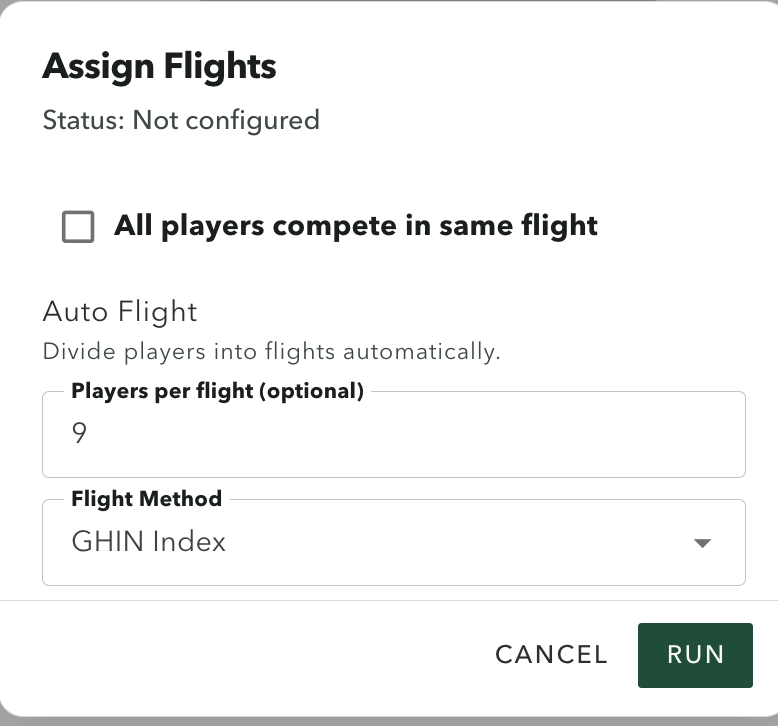
Automatically assign flights
Choose GHIN Index or Course Handicap, and set how many players you want in each flight. Choose Run to save the flights. You can run it again until the assignments look right. Changing the choices does not assign anyone yet.
Or select All players compete in same flight. This places everyone in one flight and disables the other flighting options.
Assigning flights does not build the groups or the tee times.
Automatically build groups and tee times
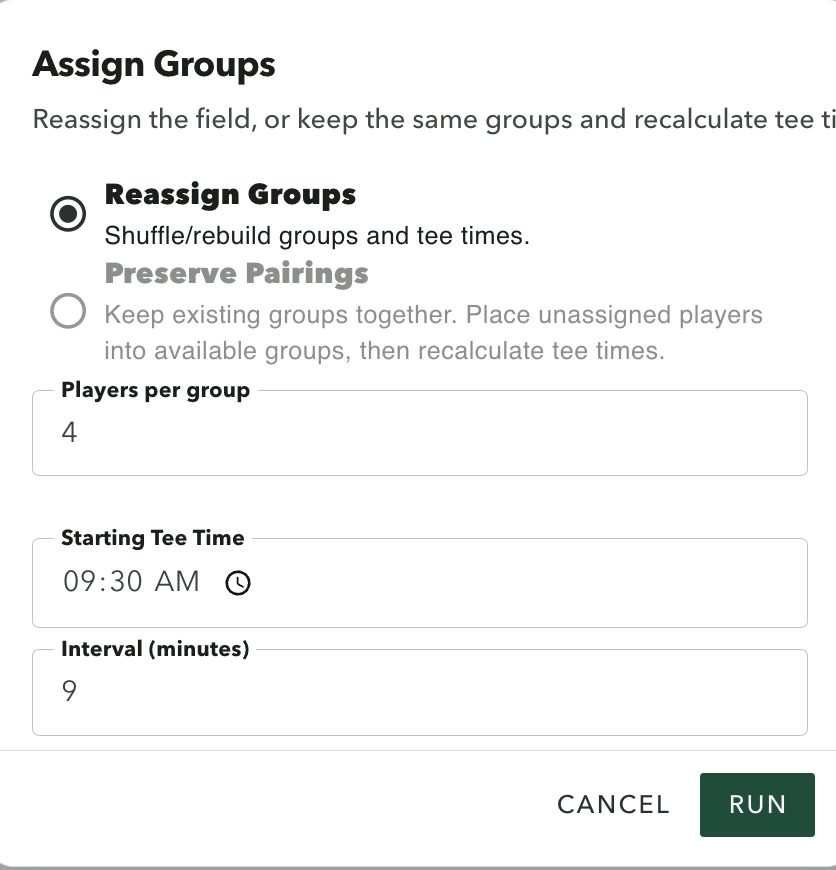
Set the number of players per group, the starting tee time, and the interval between groups. Grey Tabby Golf creates the playing groups and calculates their tee times when you choose Run.
You can move individual players between groups using the group-number dropdown.
Reassign Groups shuffles the field and rebuilds the groups and tee times using the starting time and interval you provided. It does not sort playing groups by flight. It does not run when the event is locked or after scoring has started.
Preserve Pairings becomes available once groups exist, and not while the event is locked. It keeps existing pairings together, places unassigned players into open spots unless the round already has scores, and recalculates tee times.
Review before the round
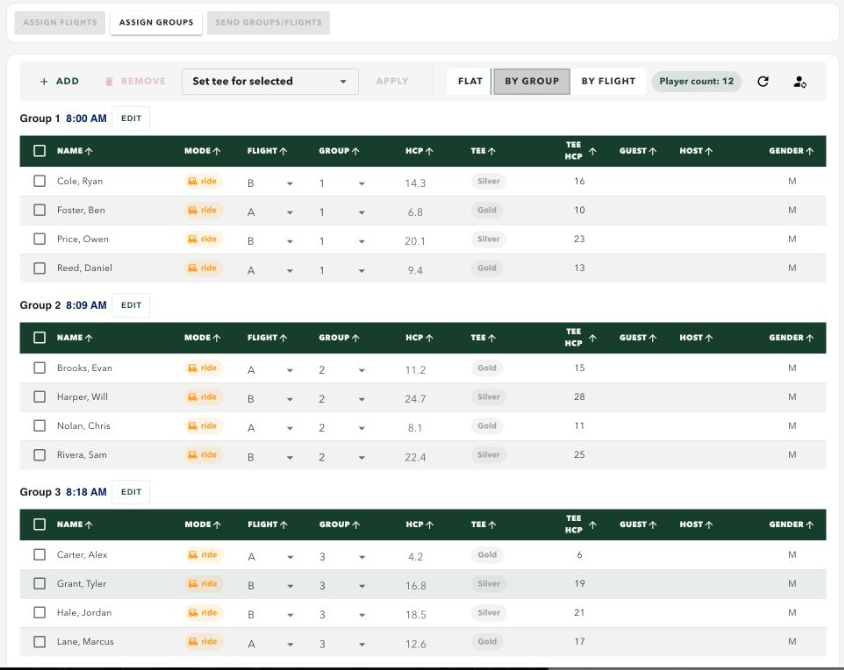
Use the three roster views to review your assignments:
- By Group: See players organized by playing group and tee time.
- By Flight: Review the competitive flights and their player assignments.
- Flat: View the entire field alphabetically.
You can move individual players between groups or flights and adjust a group’s tee time.
A guest needs a host before that guest can be placed in a group or a flight.
Let the players know the day before the event
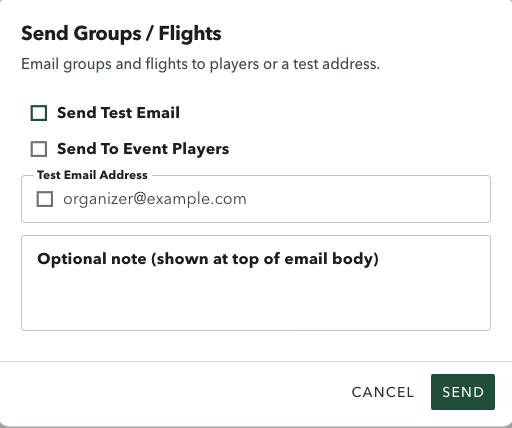
When the groups and flights are ready, click Send Groups / Flights.
You can send a test email to yourself first to confirm how the information will appear.
The live email goes to players on that round who have an email address. It includes the event date, the course, the starting time, the groups, the flights, and the handicap for each tee.
The organizer controls when this email is sent. Saving the groups does not send it. Reassigning groups does not send it either.
What the players see
Players receive an organized summary showing their playing group, starting time, flight, GHIN Index, and the tee-specific handicap information.
The email gives players the information they need to know where to be, when to arrive, and who they will be playing with.
Start a 30-day free trial
A payment method is required. Billing starts when the trial ends unless you cancel.