
Game day
Mobile Golf Scoring Without the Scorecard Chase.
Instead of collecting paper scorecards at the end of the round, Grey Tabby Golf lets each playing group enter its scores directly from a phone.
The organizer sends each group a scoring link, golfers record their hole-by-hole scores, and the Admin dashboard shows how the round is progressing.
When play is finished, those same scores are used to calculate the competitions and prepare the results for review.
Send Scoring Links to Your Groups
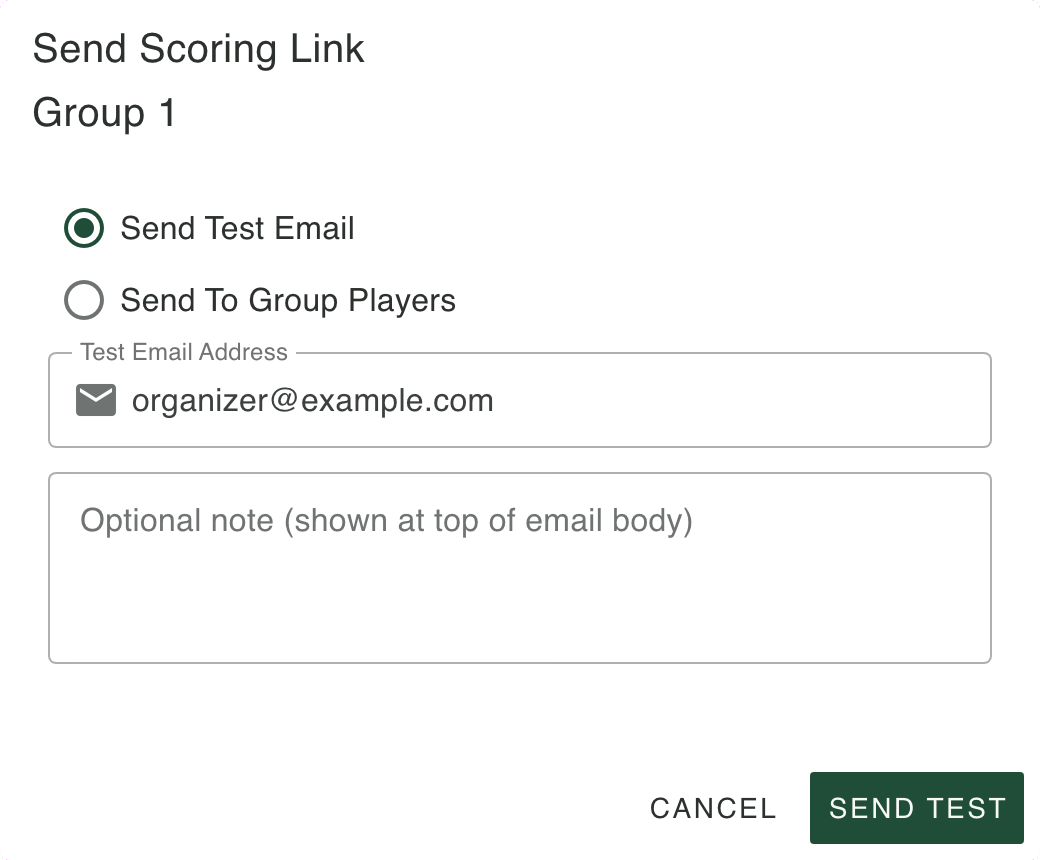
Open Mobile Scoring for the round. Each playing group is listed with its players. From that row you can copy the group's scoring link or email it.
Copy puts the link on your clipboard. Send lets you email a test to yourself first, or send it to the players in that group who have an email address. You decide when those emails go out. Opening the panel does not send them.
The link opens the scorekeeper for that group and that round. Each scoring link is valid for 12 hours. Organizers should distribute links close enough to the round that players can complete scoring before they expire. After the event or round is complete, new scoring links cannot be created.
What Players See on Their Phones
A player opens the link in the phone's browser. There is no application to install and no separate sign-in. Everyone in the group uses the same link.
The page shows the event, the group, and the hole they are on. It opens on the first hole that does not have a saved score yet. Enter a score for each player, then save. Saving records that hole and moves on to the next one. The group can go back and save a hole again while the link is still available.
Holes that have not been saved stay open. The progress on the page shows how much of the card is in.
Each group records its scores as it plays. There's no need to keep a separate digital scorecard for skins, stroke play, Nassau, or Deuces. Those competitions use the same hole scores.
The scoring email still recommends that another player keep a paper card, so the group has something to check against after the round.
Closest to the Pin From the Course
Closest to the pin is not part of the group scorecard, and it is not calculated from the hole scores.
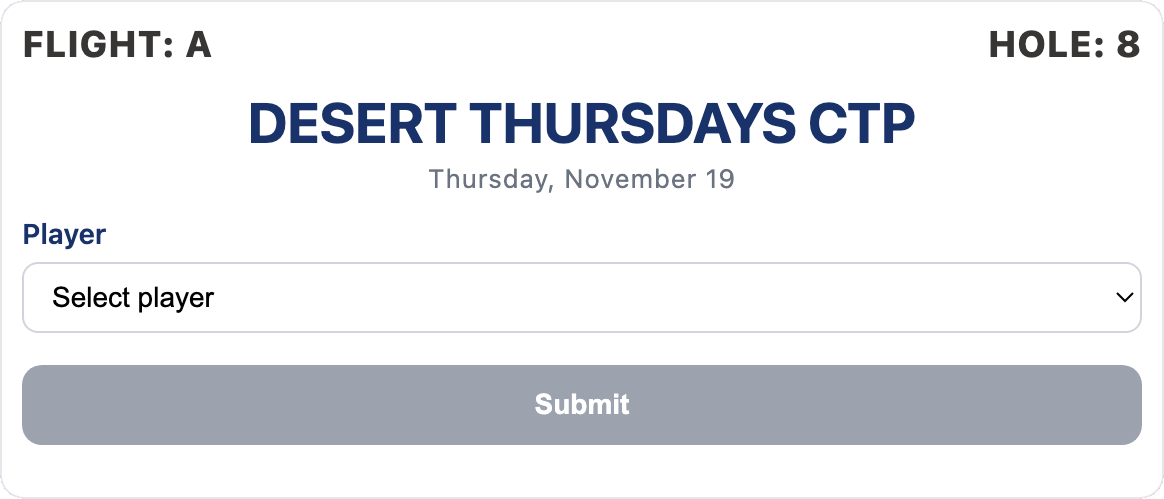
When that competition is set up for a hole, a player opens a separate phone page for the hole and flight, chooses the player, and submits. The entry is saved for that event, hole, and flight. The page does not ask for a distance.
Players can check the public CTP leaders page to see the current leader for each configured hole and flight. Official CTP results are included when the organizer publishes the round.
Monitor the Round as Scores Come In
While the groups are on the course, open the event's Scoring tab. It shows how many scorecards are in the round. Expand Live Scorecards to see each player's hole scores as they are saved. Holes that have not been entered stay blank.
You can follow the round from Admin instead of waiting for paper cards to come in.
The public results stay as you last published them. They do not update as each hole is saved.
Correct Scores When Necessary
If a score needs correcting, open the event's Scoring tab and expand Live Scorecards. Turn on Edit Scores, find the player and hole, and enter the correct score directly in the scorecard.
Players can also correct scores through their group's mobile scoring link while it remains valid.
If a score changes after publication, the organizer can review the updated results and publish again. The public leaderboard displays the latest published results.
Ready to Review and Publish
Once the scorecards are complete, Grey Tabby Golf has the hole-by-hole information needed to calculate the competitions you configured for the round.
You can review the results, verify the winners and prize amounts, and publish when everything is ready. Nothing is published simply because the last score was entered.
The next step is Review and Publish Results. The Results and payouts page shows what a published round looks like.
Start a 30-day free trial
A payment method is required. Billing starts when the trial ends unless you cancel.